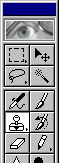
 The "clone" or "rubber stamp" tool let's you copy pixels from one part of an image to another.
The "clone" or "rubber stamp" tool let's you copy pixels from one part of an image to another.
Here's a .jpg scan of an old photo. On the surface of the original photo are some significant smudges. We'll use the rubber stamp tool to correct these.
Sometimes you can hide the fact that you're cloning by using a speckled brush, and cloning in from several different positions in the image, rather than just painting from one part.